


Email Marketing Guide 2026: Build, Automate, Land in the Inbox
Build a DPDP-safe list, set up the four flows that earn, pass Gmail and Yahoo sender rules, and follow a 30/60/90-day plan.

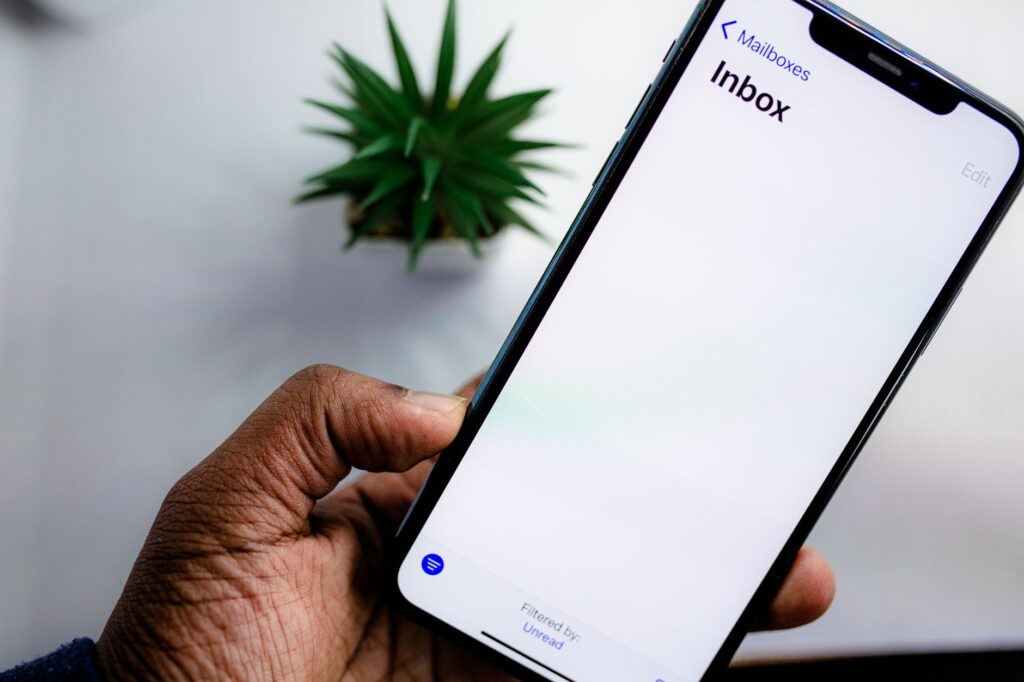
Build a DPDP-safe list, set up the four flows that earn, pass Gmail and Yahoo sender rules, and follow a 30/60/90-day plan.
01Email marketing in 2026 rewards senders who authenticate with SPF, DKIM and DMARC, because Gmail began ramping up enforcement with rejections from November 2025.
02Gmail requires bulk senders of 5,000 or more messages a day to support one-click unsubscribe and keep spam rates below 0.3%, with 0.1% as the safe target.
03The DPDP Act, 2023 requires consent that is free, specific, informed and given by a clear affirmative action, and the DPDP Rules notified on 14 November 2025 allow 18 months for phased compliance.
04Four email automation flows (welcome, abandoned cart, post-purchase and win-back) should be live before a brand scales its email campaigns.
Email marketing is sending planned, permission-based emails to people who asked to hear from you, so they buy, return and refer. It is still the cheapest owned channel an Indian brand can run, because you rent nothing from an algorithm. The catch in 2026: Gmail, Yahoo and India’s DPDP Act now punish lazy senders.
This guide covers the full system. You will build a list legally, set up the four automated flows that do most of the earning, write emails people open, pass SPF, DKIM and DMARC checks, and follow a 30/60/90-day plan. Every rule here is checked against the official source.
Email marketing is a direct channel where a business sends campaigns and automated messages to subscribers who opted in, and it is still worth it in 2026 because you own the list, the cost per send is tiny, and automated flows keep selling long after setup. It fails only when brands buy lists, blast everyone and skip authentication.
Think of it as the one channel you control end to end. A Meta or Google audience can shrink overnight with a policy change. Your email list stays yours, and it compounds every month you grow it.
Email does three jobs well for Indian brands:
Where it is weaker: instant, conversational updates for mobile-first Indian buyers. That is WhatsApp’s job, and we compare the two later in this guide.
Email marketing works in a loop: a sign-up form collects consent, an email service provider stores contacts and sends mail from your authenticated domain, inbox providers like Gmail decide inbox or spam based on reputation, and your analytics show what drove clicks and sales. Every step feeds the next send.
The moving parts are simple once you see them together.
| Part | What it does | Who owns it |
|---|---|---|
| Sign-up form and consent record | Collects the email, the purpose and proof of consent | You (site, checkout, landing page) |
| Email service provider (ESP) | Stores contacts, builds segments, sends campaigns and flows | Brevo, Mailchimp, Zoho Campaigns, Klaviyo and others |
| Domain authentication | SPF, DKIM and DMARC prove the mail really is from you | You, via DNS records at your domain provider |
| Inbox provider filters | Decide inbox, promotions tab, spam or rejection | Gmail, Yahoo, Outlook |
| Analytics | Track clicks, revenue and unsubscribes | ESP reports plus GA4 with UTM tags |
Two kinds of email run through this system. Campaigns are one-off sends: a Diwali sale, a newsletter, a launch. Flows (automations) trigger on behaviour: a sign-up, an abandoned cart, a first order. Campaigns get the attention. Flows usually do the steady earning.

You build an email list legally in India by getting consent that the DPDP Act, 2023 accepts: a clear notice of what data you collect and why, an unticked box or explicit action, no bundling with unrelated purposes, an unsubscribe as easy as the sign-up, and a stored record proving each person agreed. Never buy or scrape lists.
Parliament enacted the Digital Personal Data Protection Act on 11 August 2023, and the Government notified the DPDP Rules on 14 November 2025, according to a Press Information Bureau explainer. Section 6 of the Act says consent must be “free, specific, informed, unconditional and unambiguous with a clear affirmative action”.
The DPDP Rules give organisations an eighteen-month period for phased compliance, per the PIB explainer. That window closes around May 2027. Fix your sign-up forms and consent records now, not in the last quarter.
Here is what the Act and Rules mean for an email list, in plain terms:
The stakes are high. The PIB explainer lists penalties up to ₹250 crore for failing to keep reasonable security safeguards, and up to ₹50 crore for other violations of the Act or Rules.
Watch out: a pre-ticked “send me offers” box at checkout fails the “clear affirmative action” test. So does hiding marketing consent inside your terms of service. Use a separate, unticked checkbox with its own one-line purpose.
The sign-up forms that work sit where intent is highest (checkout, an exit-intent popup on product pages, an inline form after a blog post, a lead form tied to one offer), and the lead magnets that work give a fast, concrete payoff such as a first-order discount, a checklist or a calculator.
Match the magnet to the business. A generic “subscribe to our newsletter” box converts poorly almost everywhere.
| Business type | Lead magnet that fits | Best form placement |
|---|---|---|
| D2C fashion, beauty, jewellery | First-order discount or early access to a sale | Timed popup, checkout opt-in |
| B2B services and SaaS | Template, audit checklist, ROI calculator | Inline at end of blog posts, gated resource page |
| Real estate | Price sheet, floor plans, site-visit slots | Landing page form from ads |
| Education and coaching | Free class, syllabus PDF, sample test | Webinar registration page |
| Media and creators | The newsletter itself, with a sample issue | Homepage hero and article footer |
Keep the form short. Email plus first name is enough to start; ask for city, preferences or birthday later through a preference centre. Every extra field costs sign-ups, a principle our conversion rate optimization guide covers in depth.
Paid traffic can feed the list too. Lead ads collect emails inside the platform, as the Meta Ads guide explains. Add your DPDP notice and a separate marketing checkbox to those forms as well. A website chatbot for lead generation is another strong source if it asks for consent in the conversation.
Gmail’s sender guidelines add two habits worth copying: confirm each address before subscribing it, and periodically check that people still want your mail. Double opt-in costs a few sign-ups and saves your sender reputation.
You should segment your email list by behaviour first and attributes second: start with engagement (opened or clicked in the last 90 days), purchase stage (lead, first-time buyer, repeat buyer, lapsed) and the product category they bought, then layer in city, language and gender once the basics work. Five well-used segments beat fifty unused ones.
Mailchimp’s own benchmark guidance makes the same point: segments that are too narrow leave you writing for audiences of ten. Keep groups broad enough to matter.
A starter segment set for most Indian brands:
For personalised content inside each segment, our piece on AI content personalisation shows how dynamic blocks and product recommendations work.
Every brand should set up four email automation flows before writing more campaigns: a welcome series for new subscribers, an abandoned cart or abandoned browse flow, a post-purchase series, and a win-back flow for lapsed customers, because together they cover the whole customer lifecycle on autopilot. These four trigger on real behaviour, run every day without effort, and cover the full customer lifecycle.
The timings below are PingTalks’ starting framework from running these flows. Treat them as defaults to test, not laws.
| Flow | Trigger | Suggested timing | Goal of each email |
|---|---|---|---|
| Welcome | New sign-up | Email 1 instantly, email 2 on day 2, email 3 on day 4 to 5 | Deliver the magnet, tell the brand story, show bestsellers or best content |
| Abandoned cart | Checkout started, no order | Email 1 at 1 hour, email 2 at 24 hours, email 3 at 48 to 72 hours | Reminder, then answer objections (COD, returns, sizing), then a final nudge |
| Post-purchase | Order placed | Thank-you at day 0, usage tips at delivery, review ask 5 to 7 days after delivery, cross-sell at day 21 to 30 | Reduce returns, collect reviews, earn the second order |
| Win-back | No order or engagement in 90 to 180 days | Email 1 at trigger, email 2 at day 7, final email at day 14 | Re-engage with news or an offer, then ask “stay or go?” |
The welcome email is the one most people open, because they just asked for it. Deliver what you promised in the first line. Then use emails two and three to set expectations: what you send, how often, and why it is worth opening.
For Indian e-commerce, the abandoned cart email should answer the real reasons people stall: shipping charges, cash on delivery, return policy and delivery time. Lead with the product image and a single button back to the cart. Hold the discount for email three, or you train buyers to abandon carts on purpose.
This flow protects margin. Care instructions and sizing tips reduce returns, which hurt Indian D2C brands badly. The review ask comes after delivery, never before. The cross-sell lands when a reorder or a matching product makes sense.
Win-back is a list-hygiene tool as much as a sales tool. If someone ignores all three emails, suppress them. Gmail’s guidelines suggest considering unsubscribing recipients who do not open or read your messages, and a smaller engaged list delivers better than a big dead one.

You write emails that get opened by making the sender name recognisable, the subject line specific about the benefit, and the preview text a second hook rather than “View in browser”, then keeping all three short enough to read in full on a phone screen. Keep subject lines short enough for a phone screen, promise only what the email delivers, and test one variable at a time.
The inbox shows three things before the open: sender name, subject line and preview text. Treat them as one unit.
Honesty is now a deliverability rule, not just good manners. Gmail’s sender guidelines say not to start subject lines with “Re:” or “Fwd:” unless the message really is a reply or forward, and not to use emojis to imitate graphic elements with intent to deceive. Fake urgency gets you reported as spam, and spam reports cost you the inbox.
For headline formulas that translate well to subject lines, read how to craft the perfect headline that gets clicks. For copy drafts, the ChatGPT for marketing guide includes prompts you can adapt, but always edit for your brand voice.
A subject line is a promise. The body is where you keep it, or lose the subscriber.
Most Indian subscribers read on a phone, so design for a narrow screen first. One column, a large tap-friendly button, short paragraphs and images that still make sense if they do not load.
Mailchimp’s benchmark page also recommends clear fonts, concise copy and responsive layouts that adapt to screen size. None of this is fancy. Most brands still get it wrong.
You make sure emails land in the inbox by authenticating your domain with SPF, DKIM and DMARC, aligning your From domain with them, supporting one-click unsubscribe, keeping Gmail-reported spam below 0.1%, and mailing only people who opted in and still engage with what you send. Email deliverability is mostly reputation, and reputation is earned by sending wanted mail consistently.
Gmail’s email sender guidelines have applied since 1 February 2024 to anyone sending to personal Gmail accounts. The Gmail sender FAQ adds that from November 2025, Gmail is ramping up enforcement, with temporary and permanent rejections for non-compliant mail. Yahoo enforces a near-identical set for bulk senders.
| Requirement | Gmail (5,000+ messages a day) | Yahoo (bulk senders) |
|---|---|---|
| SPF and DKIM | Both required; all senders need at least one | Both required |
| DMARC | Required; policy can be p=none | Required; at least p=none, and DMARC must pass |
| From domain alignment | From domain must align with SPF or DKIM domain | Must align with SPF or DKIM; relaxed alignment accepted |
| One-click unsubscribe | Required for marketing and subscribed mail, plus a visible link | Required via List-Unsubscribe header, plus a visible link |
| Honour unsubscribes | Within 48 hours (per Gmail FAQ) | Within 2 days |
| Spam rate | Below 0.3%; aim for below 0.1% | Below 0.3% |
| DNS and transport | Valid forward and reverse DNS (PTR), TLS | Valid forward and reverse DNS |
SPF is a DNS record listing which servers may send mail for your domain. Gmail’s page warns that third-party senders missing from your SPF record are more likely to land in spam, so include your ESP, your CRM and your helpdesk tool.
DKIM adds a cryptographic signature proving the domain owner sent the message. Gmail requires a key of 1,024 bits or longer for personal accounts and recommends 2,048 bits where your provider supports it.
DMARC tells receiving servers what to do with mail that fails SPF and DKIM, and sends you reports. Start at p=none with a reporting address (Yahoo strongly recommends the rua tag), read the reports for a few weeks, then tighten the policy once every legitimate sender passes.
Pro tip: a new sending domain gets less patience. Gmail’s FAQ says enforcement for new domains runs on an accelerated timetable. Warm a fresh domain by sending to your most engaged segment first, then widen the audience over a few weeks.

Good email marketing benchmarks, according to Mailchimp’s industry data last updated in December 2023, are an average open rate of 35.63%, a click rate of 2.62% and an unsubscribe rate of 0.22% across all users, though your own industry and trend line matter more. E-commerce sits lower at 29.81% opens and 1.74% clicks. Compare yourself against your own industry and your own trend line.
Mailchimp built these averages from campaigns sent to at least 1,000 subscribers where users reported their industry. Its page also warns that Apple’s Mail Privacy Protection can distort open rates. Treat opens as a directional signal, not proof.
The metrics that matter, in order:
Not sure what a metric means? The digital marketing glossary defines CTR, conversion rate and the rest.
The best email marketing tools for Indian businesses depend on your stage: Zoho Campaigns or Brevo for small lists and tight budgets, Mailchimp for an easy all-rounder with templates, and Klaviyo for Shopify and D2C brands that need deep e-commerce flows and segments. All four offer a free plan, so test with real data before paying.
Free plan limits below are taken from each tool’s pricing page in October 2026. Paid prices change with contact count and currency, so check the live page for your list size.
| Tool | Free plan limit | Best for | Watch out for |
|---|---|---|---|
| Zoho Campaigns | Up to 2,000 contacts and 6,000 emails a month | Indian SMBs already on Zoho CRM or Zoho One | Paid plans priced by contact tier, starting at 500 contacts |
| Brevo | Up to 300 emails a day | Low-volume senders who also want transactional email and SMTP | Removing the Brevo footer is a paid feature |
| Mailchimp | Basic Free plan for fewer than 250 contacts | Beginners who want templates and a gentle learning curve | Free plan is tight; paid plans start with a 14-day trial |
| Klaviyo | 250 active profiles and 500 email sends a month | Shopify and WooCommerce D2C brands running flows and segments | Free plan email support lasts only the first 60 days |
Pick on three tests, not features. Does it connect natively to your store or CRM? Can it trigger the four flows above on real events? Can you authenticate your domain with SPF and DKIM inside the tool? If a tool fails any one, move on.
Indian brands should use both email and WhatsApp for different jobs, with email as the default for long content, newsletters and low-cost automated flows, and WhatsApp reserved for short, urgent, conversational moments such as delivery updates, cart reminders and support that need an answer today. Receipts and B2B nurture belong in email too.
| Factor | WhatsApp Business API | |
|---|---|---|
| Cost per message | Low; mostly a flat tool subscription | Meta has charged per delivered template message since 1 July 2025, so cost grows with volume |
| Content depth | Long-form, multiple products, rich design | Short text, one image or card, quick replies |
| Consent and rules | DPDP Act plus Gmail and Yahoo sender rules | DPDP Act plus Meta opt-in and template approval |
| Best use | Newsletters, nurture, receipts, win-back | Order updates, COD confirmation, support, flash alerts |
The winning pattern: email first, WhatsApp as the escalation. Send the abandoned cart email at one hour, and a WhatsApp nudge only if the cart is high value and still open the next day. Our WhatsApp marketing and WhatsApp Business API guide covers templates, opt-in and pricing.
Most failed email programmes die from the same handful of errors. Check yours against this list.
Email marketing is not dead. Lazy email marketing is. In 2026 the brands that win set up authentication once, build four flows before their tenth campaign, collect DPDP-grade consent, and mail only people who engage. Do those four things and email becomes the highest-margin channel in your stack. Skip them and Gmail will quietly route you to spam.
Here is the email marketing strategy we would run for a new or neglected list. It front-loads the boring infrastructure, because everything else depends on it.

Email works best as part of a wider system. These PingTalks guides pick up where this one stops:
Under the DPDP Act, 2023, processing personal data such as an email address needs consent or a specific legitimate use. Marketing emails rely on consent, which must be free, specific, informed and given through a clear affirmative action. Bought or scraped lists do not meet that standard.
Gmail treats senders of more than 5,000 messages a day to personal Gmail accounts as bulk senders. They must set up SPF, DKIM and DMARC, align the From domain, support one-click unsubscribe and keep spam rates below 0.3%.
Mailchimp’s benchmark data, last updated December 2023, shows an average open rate of 35.63% across all users and 29.81% for e-commerce. Apple’s Mail Privacy Protection can inflate opens, so judge campaigns on clicks and revenue as well.
Send as often as you have something useful to say and your engaged segment keeps clicking. A weekly or fortnightly campaign plus always-on automated flows suits most Indian SMBs. Watch unsubscribes and spam complaints after each send and slow down if either rises.
Zoho Campaigns has the most generous free plan of the four tools compared here, with up to 2,000 contacts and 6,000 emails a month. Brevo allows 300 emails a day free. Shopify stores that need deep e-commerce flows should also test Klaviyo’s free plan.
Gmail requires all senders to have SPF or DKIM, and DMARC becomes mandatory above 5,000 messages a day. Google still recommends SPF, DKIM and DMARC for every domain, and a p=none DMARC record takes minutes to add.

Digital Evangelist and Entrepreneur at Clickseek Digital. A results-oriented marketing leader with an 18+ year track record driving transformative growth for diverse global businesses. Expert in performance marketing, demand generation, customer acquisition, strategic partnerships, and market expansion within B2B SaaS, Consumer-Tech, Fintech, Travel/Hospitality, and CRM/ITES Solutions sectors. IIM alumnus with a strong analytical background and a string of accolades, including "Top 50 Most Influential E-Commerce Professional of India" and "Top 100 Digital Marketer of India."
What changed in marketing and AI, why it matters and exactly what to do. In your inbox at 11:00 IST.