


Instagram Reels Guide 2026: Length, Ideas, Algorithm and Growth
Reels can run 20 minutes, but only 3-minute Reels reach strangers. Specs, ranking signals, trial reels, Edits, music rules and 30 ideas for Indian brands.


Reels can run 20 minutes, but only 3-minute Reels reach strangers. Specs, ranking signals, trial reels, Edits, music rules and 30 ideas for Indian brands.
01Instagram Reels can be recorded and edited up to 20 minutes, but Instagram only recommends Reels of 3 minutes or less to non-followers.
02Instagram Reels should be 9:16 at 1080 x 1920, with text kept out of roughly the top 14% and bottom 35% of the frame.
03The Instagram Reels algorithm predicts reshares, watching to the end, likes and audio page visits, and tests each Reel on small non-follower groups first.
04Instagram trial reels go to non-followers first, show results after about 24 hours, and can auto-share to followers based on views in the first 72 hours.
Instagram Reels can now run up to 20 minutes in the app, but only Reels of 3 minutes or less get recommended to people who don’t follow you. Shoot 9:16 vertical, hook viewers in the first 3 seconds, and judge every Reel by watch time and shares, not likes.
This guide covers the 2026 specs, how Instagram actually ranks Reels (from its own pages), trial reels, the Edits app, music rules for business accounts, 30 Reel ideas for Indian brands and a repeatable workflow. It sits under our social media marketing guide, so start there if you are still building the wider strategy.
Instagram’s Reels feature page says you can record and edit Reels up to 20 minutes long, built from one clip or several. The catch: Reels longer than 3 minutes are not recommended to new audiences, so for reach, 3 minutes is the real ceiling. Anything longer only travels to your existing followers.
The limit has moved fast. In January 2025, Instagram’s creators blog said Reels up to 3 minutes could now reach non-followers in the Reels tab and Explore. Before that, only Reels up to 90 seconds were eligible for recommendation.
Instagram’s creator FAQ repeats the rule and gives no “ideal” length. Our view: match length to the idea. A 20-second joke stretched to 70 seconds loses viewers.
| Reels length | Who can see it | Best use |
|---|---|---|
| Under 30 seconds | Followers and non-followers | Hooks, trends, product reveals, jokes |
| 30 seconds to 3 minutes | Followers and non-followers | Tutorials, walkthroughs, explainers |
| 3 to 20 minutes | Mostly existing followers | Webinar cuts, long demos for warm audiences |
Instagram Reels should be 9:16 vertical video, usually 1080 x 1920 pixels. Meta’s developer documentation recommends 9:16 to avoid cropping or blank space, and accepts MP4 or MOV files up to 300 MB, at 23 to 60 frames per second, between 3 seconds and 15 minutes when published through the API.
The full spec, from Meta’s Instagram API reference:
| Spec | Requirement | What to do |
|---|---|---|
| Aspect ratio | 9:16 recommended | Export 1080 x 1920 |
| File type | MP4 or MOV | MP4 with H.264 is the safe default |
| Video codec | H.264 or HEVC, progressive scan | Avoid interlaced camera footage |
| Frame rate | 23 to 60 fps | Shoot 30 fps, 60 for fast action |
| Bitrate and size | Up to 25 Mbps, 300 MB | Compress long Reels before upload |
| Audio | AAC, up to 48 kHz, 128 kbps | Record clean audio, it matters |
| Cover image | JPEG, up to 8 MB, 9:16 | Keep the subject and title centred |
Meta’s documentation says a feed share uses the middle-most 1:1 square of your cover, so keep faces and titles centred.
Instagram’s buttons, caption and username sit on top of your video. AdNabu’s 2026 safe-zone guide recommends keeping text and logos out of the top 14% and bottom 35% of a 1080 x 1920 frame, plus about 6% on each side. In pixels, that is roughly 270 px at the top and 670 px at the bottom.
Pro tip: Build a 1080 x 1920 overlay with those margins shaded in Canva or Figma, then drop it on top of every edit before export.

The Instagram Reels algorithm predicts how likely you are to reshare a Reel, watch it to the end, like it and open its audio page, then orders Reels by those predictions. Instagram head Adam Mosseri’s ranking explainer lists your activity first, then your history with the creator, then the Reel itself, then the creator.
The key signals, in Mosseri’s rough order of importance:
Instagram’s creators blog added detail in February 2025: signals include watch time, retention, shares, likes and comments. A Reel first reaches a small non-follower group, and better performers reach wider groups in stages.
Instagram also names what gets pushed down: low-resolution, watermarked, muted, bordered or mostly-text Reels, and reposts. The creator FAQ adds engagement bait and giveaways.
Likes tell you people enjoyed a Reel. Shares and watch time tell Instagram to show it to strangers.
For the history of how these signals changed, read our breakdown of the Instagram algorithm update.
Trial reels are Reels that Instagram shows to non-followers first, so you can test an idea without it landing in your followers’ feeds or on your grid. Instagram launched them on 10 December 2024 for eligible creators, and its creators site says a professional account is required.
After about 24 hours you see views, likes, comments and shares, plus a comparison against your previous trials. You can then share it with everyone in one tap. Here is how to run one.
Use trials for anything new to your followers: a new format, language or riskier joke. Strangers judge it fairly.
For most Indian brands, Edits is the best free starting point because Instagram built it for Reels: exports carry no watermark, it records up to 10 minutes, and it shows real-time insights such as skip rate. Pro editors may still want desktop software, but Edits covers what a social team needs daily.
Meta launched Edits on 22 April 2025 and its official site lists iOS and Android downloads. A December 2025 update added AI effects applied to specific people or objects, ready-made title cards and more fonts for Indic languages. That last point matters if you post in Hindi, Tamil or Bengali.
| Feature | Edits app | Instagram in-app editor |
|---|---|---|
| Timeline | Frame-accurate, clip-level editing | Basic trimming and clip order |
| Recording | Camera capture up to 10 minutes | Records and edits Reels in-app |
| Planning | Storyboards, teleprompter, Ideas tab | Drafts saved on your device only |
| Effects | Green screen, transitions, AI effects | Text, AR filters, audio effects, Align |
| Insights | Real-time feedback including skip rate | Post-publish Insights |
| Export | No watermark, post anywhere | Publishes straight to Instagram |
Meta’s April 2026 update promises bilingual captions and speed curves next. The teleprompter, with adjustable text size and scroll speed, already helps founders who freeze on camera.
Note: Instagram’s Reels page says drafts are saved on your device. Uninstall the app and they are gone. Back up important drafts to your camera roll first.
Not fully. Instagram’s licensed music catalogue is cleared for personal, non-commercial posts, so business accounts usually see a narrower library built around Meta Sound Collection, according to music licensing company Soundstripe. Brands are safest with Sound Collection tracks, their own original audio, or audio they have licensed for commercial use.
Trending audio does help. Instagram’s creator FAQ says it considers trend popularity when ranking, so trending audio can affect distribution. Instagram’s Reels page also says licensed tracks can be muted if licensing agreements change, while the post itself stays up.
Warning: Switching a brand profile to a personal or creator account to get film songs does not make the use non-commercial. Soundstripe notes that a personal account promoting a business still counts as commercial use. If the Reel sells something, clear the music.
The smarter play: ride the trend’s format, not its song. Recreate it with a Sound Collection track or voiceover, and make original audio others reuse.
These Reels ideas are built on what Instagram says it rewards: a strong first 3 seconds, original footage, shareable value and audio. Each one is cheap to shoot on a phone. Pair them with niche hashtags from our Instagram hashtags guide and, for festive weeks, our Diwali Reels ideas and hashtag sets.
| Niche | Reel idea | Format |
|---|---|---|
| Fashion and ethnic wear | 1. One kurta, three looks: office, haldi, dinner | Template with 3 clips on the beat |
| Fashion and ethnic wear | 2. Fabric close-up with the sound of a saree drape | Original audio, no music |
| Fashion and ethnic wear | 3. Real customer try-ons, shared with their consent | Collab post or remix |
| Beauty and skincare | 4. 7-day routine diary in humid monsoon weather | Talking head plus B-roll |
| Beauty and skincare | 5. Ingredient myth versus fact with a dermatologist | Green screen in Edits |
| Beauty and skincare | 6. One shade on three Indian skin tones | Split-screen comparison |
| Restaurants and cloud kitchens | 7. Kitchen POV of the 9 pm rush order | Single take, original audio |
| Restaurants and cloud kitchens | 8. Regional recipe in 30 seconds, voiceover in the local language | Voiceover plus Indic text |
| Restaurants and cloud kitchens | 9. Budget thali versus premium thali, honestly compared | Side-by-side B-roll |
| Real estate | 10. 60-second walkthrough with carpet area shown on screen | Gimbal walk, text overlays |
| Real estate | 11. What your budget buys in two micro-markets | Talking head plus map screenshots |
| Real estate | 12. Possession-day reaction from a buyer who agreed to film | Handheld, original audio |
| Education and coaching | 13. One exam concept in 45 seconds | Teleprompter talking head |
| Education and coaching | 14. A topper’s desk setup and weekly timetable | B-roll plus voiceover |
| Education and coaching | 15. Answer a student’s comment as a video reply | Reply-to-comment sticker |
| Health, fitness and clinics | 16. A desk stretch for people who sit 9 hours | Demo with on-screen steps |
| Health, fitness and clinics | 17. Myth versus fact on one viral diet claim | Expert talking head |
| Health, fitness and clinics | 18. A vegetarian high-protein day of meals | Day-in-the-life montage |
| B2B, SaaS and agencies | 19. A 3-step fix for one common client problem | Screen recording plus face cam |
| B2B, SaaS and agencies | 20. Founder take on one platform change this week | Talking head, captions burned in |
| B2B, SaaS and agencies | 21. Before and after of an anonymised dashboard | Screen recording, zoom cuts |
| Jewellery | 22. How to read the hallmark on your gold | Macro close-up, voiceover |
| Jewellery | 23. Bridal set reveal timed to a beat | Template with music |
| Jewellery | 24. Daily wear versus occasion wear, same budget | Split-screen |
| Travel and hospitality | 25. Room reveal from door to balcony in one take | Single continuous shot |
| Travel and hospitality | 26. Three things to do within 5 km of the property | Montage with location tags |
| Travel and hospitality | 27. The chef introduces one local dish | Talking head in the kitchen |
| Any brand, festive and topical | 28. Festive gifting guide by price band | Carousel-style cuts with text |
| Any brand, festive and topical | 29. Match-day reaction tied to your product | Remix or green screen |
| Any brand, festive and topical | 30. Take a current trend and make your product the twist | Remix with your own spin |
Every idea is useful (save-worthy), relatable (send-worthy) or a reveal (watch-to-end). If yours is none of the three, drop it. Get written consent before filming customers.
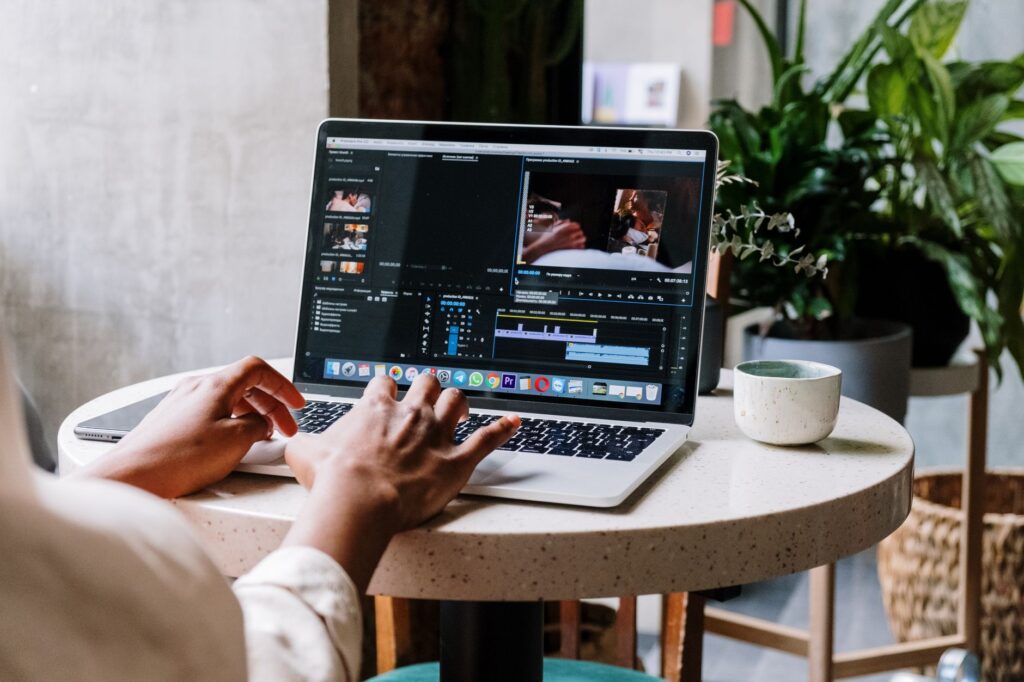
Learning how to make Reels that perform is a process problem, not a talent problem. Here is our 8-step workflow. For creative principles, read our guide to short-form video content and compelling Reels.
There is no universal best time to post Reels. Instagram’s creator FAQ says the best time is when your own audience is awake and most active, and your Insights show when that is. Any list claiming “Tuesday 7 pm works for everyone” is an average of other people’s audiences, not yours.
Reels reach non-followers in stages, so timing mostly shapes the first test audience. Find your window in four weeks:
Retest during festive seasons and big cricket nights. Your data settles it.
The Reels Insights metrics that matter most are views, reach, average watch time, skip rate, shares and saves. Meta’s Instagram API documentation defines skip rate as the share of views where people skipped in the first 3 seconds. Likes and comments matter less because Instagram weighs watch time and shares heavily.
| Metric | What Meta says it measures | What it tells you |
|---|---|---|
| Views | Total times the Reel was played | Overall distribution |
| Reach | Estimated unique accounts that saw it | How many new people you touched |
| Average watch time | Average time spent playing the Reel | Whether the middle holds attention |
| Skip rate | Share of views skipped in the first 3 seconds | Whether your hook works |
| Shares | Number of times the Reel was shared | Your strongest reach signal |
| Saves | Number of times the Reel was saved | Lasting value, good for tutorials |
| Reposts | Reposts minus deleted reposts | Advocacy from your audience |
Instagram’s creators blog also points to View Rate in Insights: the share of viewers who keep watching past the first 3 seconds. Read it together with average watch time. A high skip rate means fix the hook. A good View Rate with low average watch time means fix the middle.
Instagram’s Reels page notes counts can include Facebook interactions if your Reel was recommended there.
Instagram Reels ads are full-screen 9:16 video ads that run between organic Reels. You buy them in Meta Ads Manager by choosing Reels placements manually, or by using automatic placements, which may include Reels. You can also boost an existing Reel from the Instagram app to reach a wider audience.
Reels has been its own ad placement since October 2021, with a separate performance breakdown, so check results by placement. The creative rules match organic: vertical 9:16, a hook up front, key messages inside the safe zone, and audio.
Meta’s India numbers make the case. Its September 2025 Ipsos study reports Reels ads deliver about 2x stronger top-of-mind recall and 4x stronger message association than long-form video ads. In 2023, Meta said Navi cut cost per first-time transaction by 8% by pairing Reels ads with creators.
Our rule: only put money behind Reels that already earned shares and watch time organically. For budgets, bidding and targeting, see our Meta Ads guide, and our comparison of Facebook ads versus Instagram ads if you are splitting spend.

Instagram has named most of these publicly. Check every Reel before it goes out.
Instagram Reels in 2026 reward one thing above all: original video that strangers watch to the end and send to a friend. Build every Reel around a 3-second hook, keep reach Reels under 3 minutes, test new formats as trial reels, and use Edits for planning and insights. Ignore follower counts and likes. Track skip rate and shares weekly.
Instagram’s Reels feature page says you can record and edit Reels up to 20 minutes. Only Reels of 3 minutes or less are recommended to people who don’t follow you, so keep reach-focused Reels under 3 minutes.
Instagram says third-party watermarks may reduce a Reel’s reach, and its ranking explainer lists watermarked and already-posted Reels among those shown less. Export a clean file without the watermark and post original edits.
No. Trial reels are shown to non-followers first and stay off your grid and followers’ feeds unless you share them with everyone. They are a low-risk way to test new formats.
Meta’s announcements and the Edits site do not list a price, and the app is downloadable on iOS and Android. It signs you in with your Instagram account and exports without a watermark.
Views from non-followers do not convert unless the Reel gives a reason to follow, such as a series or a clear niche. Check shares and saves, add a follow cue at the end, and keep posting in the same format.

Digital Evangelist and Entrepreneur at Clickseek Digital. A results-oriented marketing leader with an 18+ year track record driving transformative growth for diverse global businesses. Expert in performance marketing, demand generation, customer acquisition, strategic partnerships, and market expansion within B2B SaaS, Consumer-Tech, Fintech, Travel/Hospitality, and CRM/ITES Solutions sectors. IIM alumnus with a strong analytical background and a string of accolades, including "Top 50 Most Influential E-Commerce Professional of India" and "Top 100 Digital Marketer of India."

What changed in marketing and AI, why it matters and exactly what to do. In your inbox at 11:00 IST.